Keep the knowledge
behind your rates.
Build resources and assemblies with the materials, labour and variables behind the price. Adjust the specification rather than start from a blank spreadsheet.
Resources and assemblies ↗Construction software, built from experience
From the first measurement to the final invoice. Bring your pricing, site records and job costs together, so you can see the work behind the numbers.
Built for the trade. By the trade.
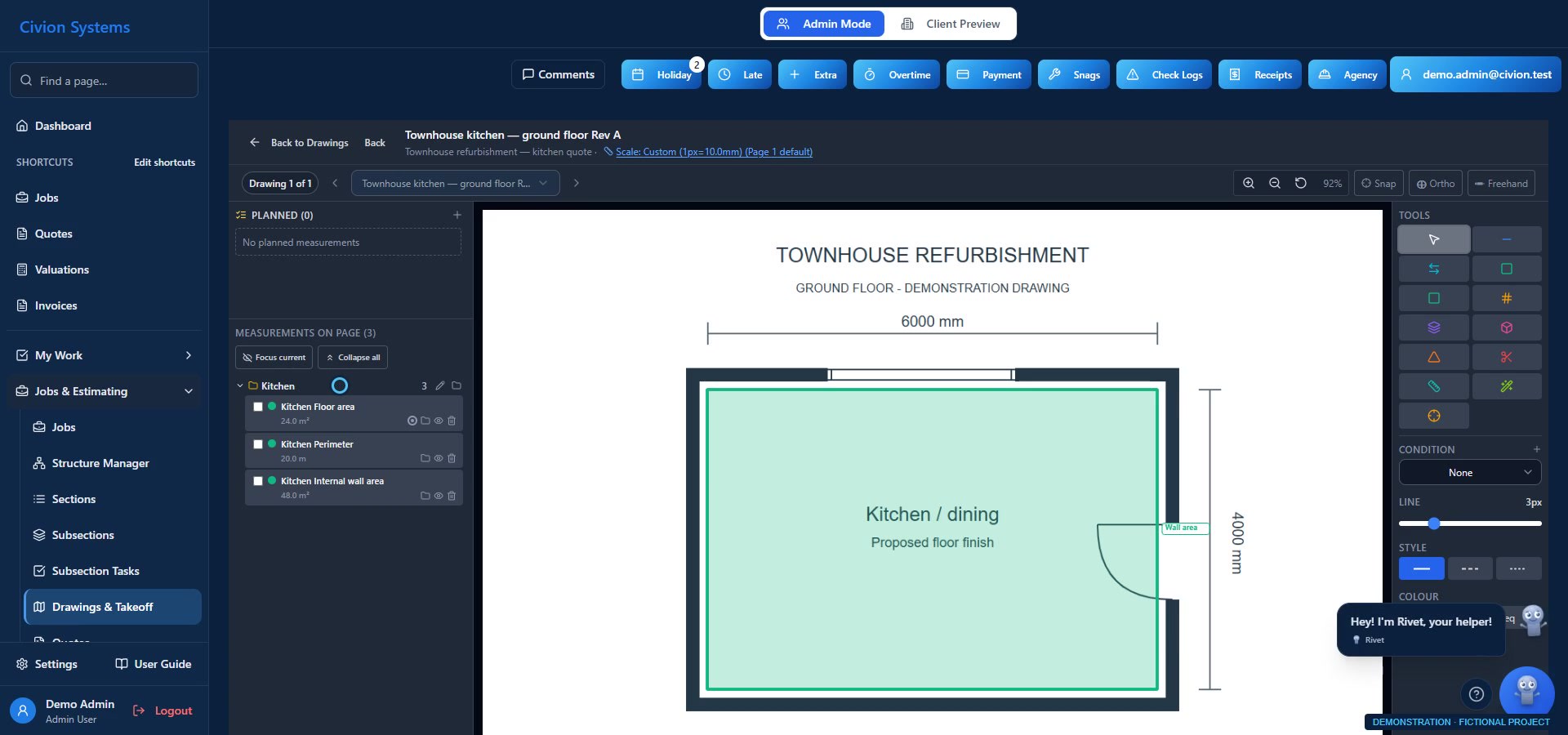
Actual app screen · fictional records. The sequence below is an illustrative presentation, not a live calculation.
One quantity. A useful connection.
Measure your PDF drawing, link the saved quantity to a draft quote item and review the price. Revisit the measurement when the scope changes.
Actual Civion interface · fictional demonstration dataSave the measured area with the drawing. You have a record to revisit, rather than another figure on a piece of paper.
Illustrative kitchen floor example. Figures are demonstration values and are not calculated from the displayed screenshot. Published prices and quantity updates require the applicable review workflow.

Built for the trade. By the trade.
The drawings, prices and job records belong together. Civion brings the everyday work into one place, so you can spend less time piecing it back together.
Follow a job through Civion ↗Keep the work organised
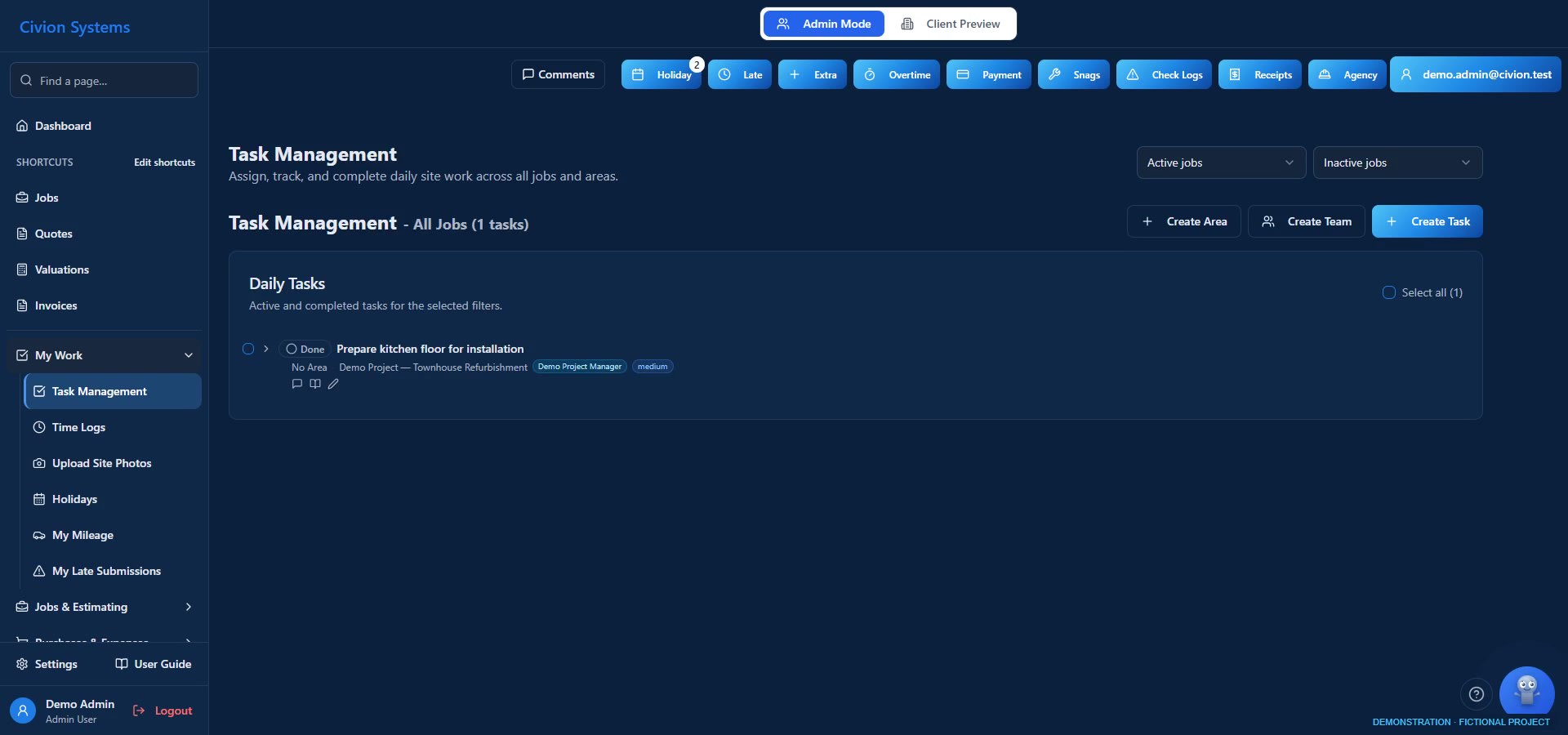
Instructions shouldn’t disappear into texts or conversations on site. Keep assignments, notes and progress in the context of the job, ready to revisit when questions arise.
Let employees submit their time and photographs for review. Keep agency time, holiday requests and work mileage organised alongside the jobs they support.
Keeping everyone’s hours on a phone was a daily burden. Missed entries left uncertainty about wages. Bringing the recording into the team’s working day gave us a clearer basis for review.

The work behind the records
Give the labour, materials and decisions behind the build a place in the job. Follow the work as well as the numbers.
Explore the connection ↗Illustrative photography. These are not Atlas projects or the fictional demonstration job.
02 / Site records → job costs
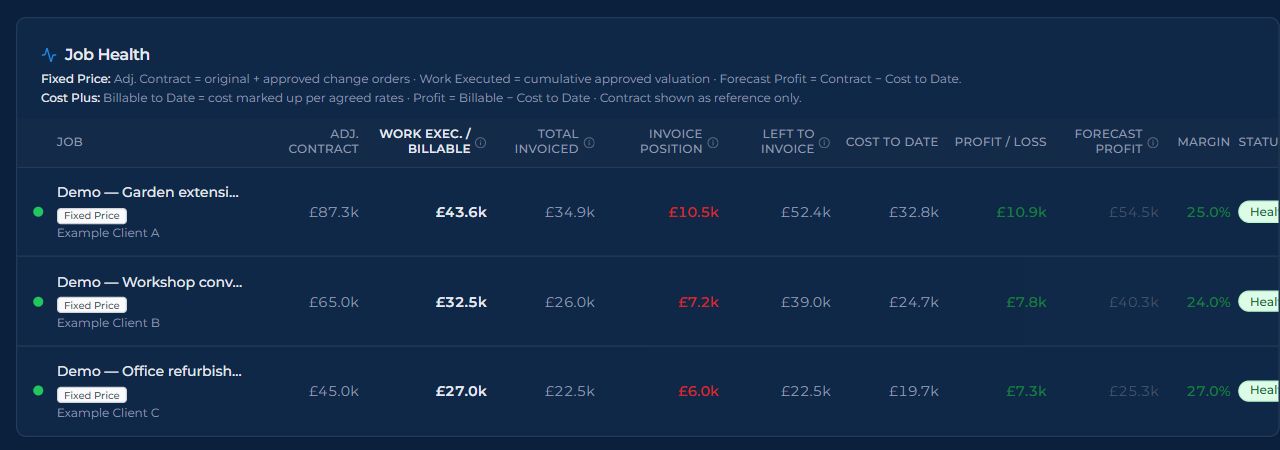
Knowing there is money in the bank doesn’t tell you which jobs are profitable. Put recorded labour and purchases alongside the job’s commercial values, and review what the work is costing.
We used to judge the business by the bank balance. Bringing job costs together finally gave us a way to see which work was making money and which was making a loss.
03 / Agreed changes → valuations → invoices
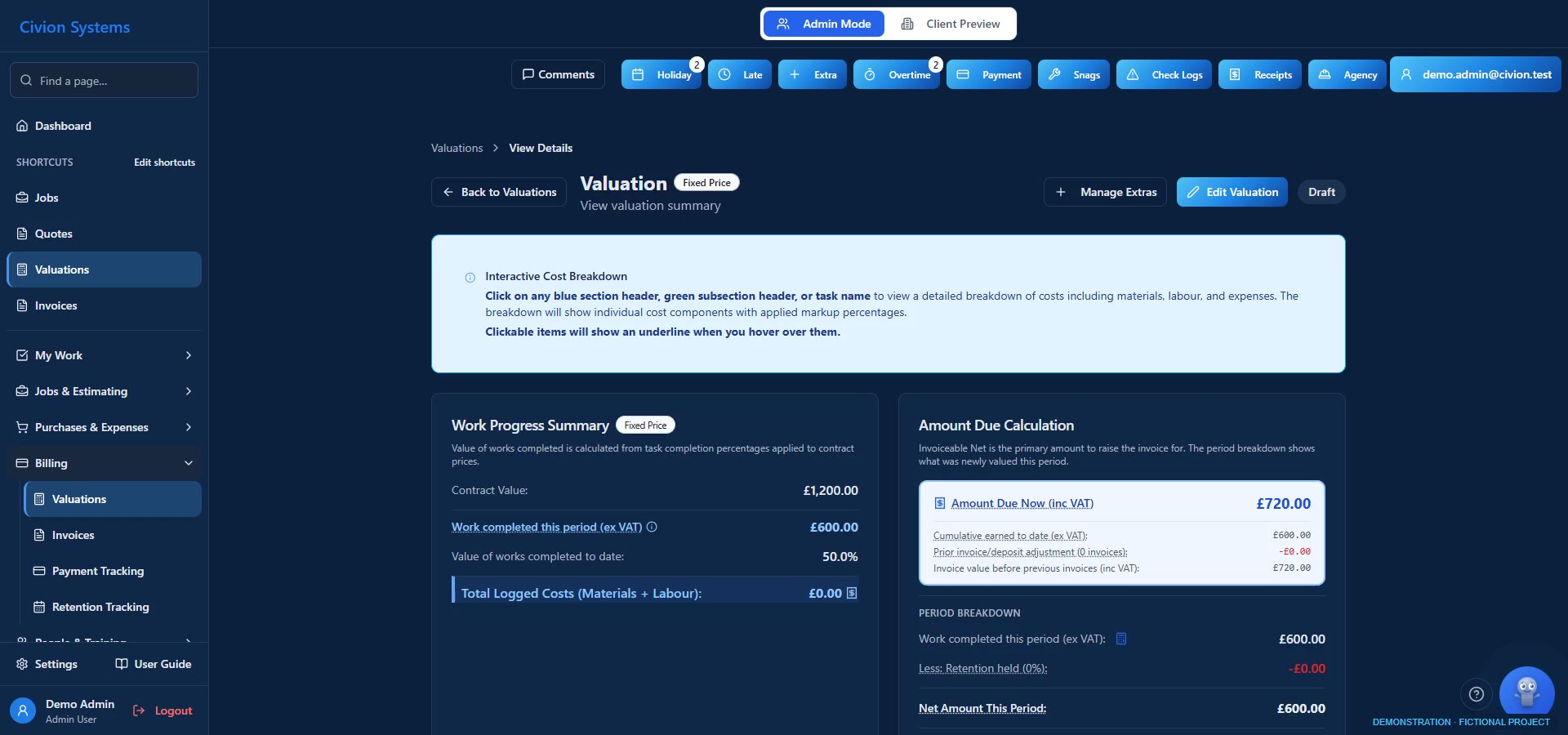
New finishes. Revised bathrooms. A whole loft conversion. Price the extra, let the client review it and keep a record of approval before work starts.
Carry approved changes into the relevant valuation and billing workflow, so everyone can see how the job is developing.
We previously noted extras on a phone and hoped to recover them at the end. On a job with extensive changes, managing approvals and valuations was critical to keeping the work commercially viable.

Illustrative photography. These are not Atlas projects or the fictional demonstration job.
04 / Progress → client visibility
Give clients access to the photographs, documents and project information you share. Help them understand how work is progressing and what they are paying for.
For a client working overseas, access to progress photographs meant they could follow the build daily. Clearer records helped us discuss the work openly and reduced disagreements.
Clients can also record snags, ready for your team to review and assign, instead of passing the same description from person to person.
Explore the client portal ↗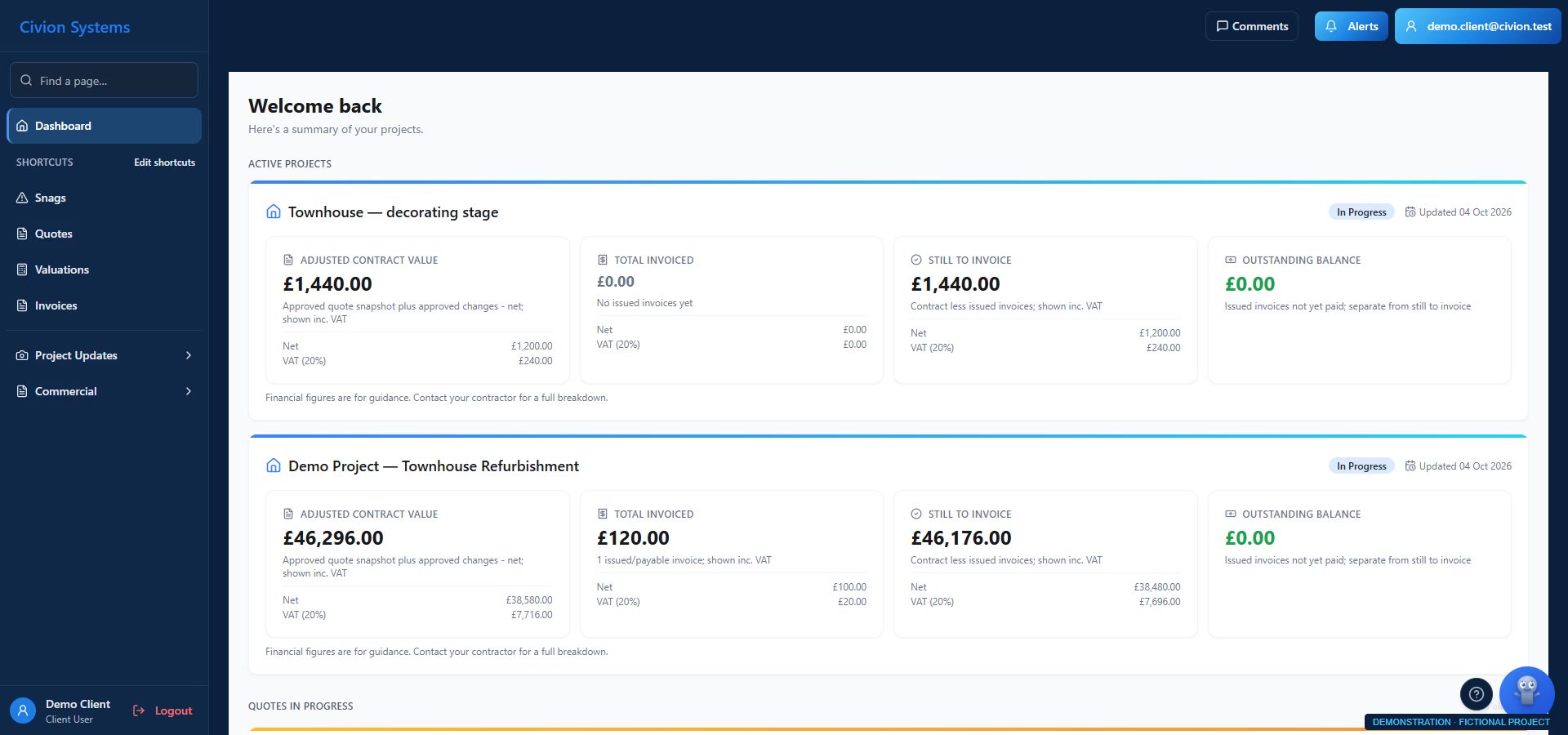
The everyday work behind the job
Bring the recurring office tasks into the same workspace as the work on site.
Build resources and assemblies with the materials, labour and variables behind the price. Adjust the specification rather than start from a blank spreadsheet.
Resources and assemblies ↗Use supported email receipt scanning to bring purchases into review, then allocate them to the correct job. Give the costs a place in the financial picture.
Purchases and receipts ↗Ask Rivet about supported workflows and job documents. Get assistance preparing work, with your team reviewing the decisions that matter.
Explore Rivet ↗


Illustrative photography. These are not Atlas projects or the fictional demonstration job.
Built for the trade. By the trade.
For years, I searched for software that did everything I needed as a main contractor—and did it well.
I tried takeoff tools, quoting apps and invoicing systems. Each handled part of the job, but I was still left joining the pieces together.
With a business to run and limited time, I wasn’t pricing work thoroughly enough or tracking costs closely enough. It was costing me money.
Civion grew out of that experience: connecting the work we measure, price, carry out and charge for.
From our experience at Atlas Construction, the contracting business behind Civion.
The business we built it in
“I couldn’t have managed that growth with the way we worked before.”
Recording attendance, filing receipts and rebuilding pricing assemblies took time away from running the business. Civion made those everyday tasks faster and more organised.
Founder-reported experience at Atlas Construction. Business growth has multiple causes; this describes how Civion helped manage the increased workload.
Plans for your company
£99 / month
£990 / year · paid upfront
A starting point for smaller teams bringing their work together.
£199 / month
£1,990 / year · paid upfront
For growing teams managing more work across their business.
£349 / month
£3,490 / year · paid upfront
For companies with a larger workforce and broader operational needs.
Prices are in GBP, per company, excluding applicable VAT. Annual subscriptions are paid upfront. Worker and job allowances apply per billing month.
Before you get started
Watch the product recordings and explore Civion during your trial. Once your first subscription payment succeeds, book a personal onboarding session focused on your company.
Clients have a role-based view of the project information shared with them. Discuss the exact permissions and views you need during your paid-customer onboarding session.
Your pricing library lets you reuse resources and assemblies. Review the available setup options with us, then adapt your library to your own costs and specifications.
Review quantities and prices, then manage agreed extras through change orders and the relevant valuation workflow. Approval records support the agreement; they do not guarantee payment.
Watch. Learn. Revisit.
Real app recordings with fictional records. Play when you’re ready; use full screen for the detail. Takeoff lessons have a spoken brand opener, then captioned instruction.
CAPTIONED TUTORIAL
Calibrate the drawing and save a checked kitchen measurement.
Read captions ↗CAPTIONED TUTORIAL
Link the saved quantity, review the calculation and apply a waste allowance.
Read captions ↗SHORT WALKTHROUGH · 24 SECONDS
A 24-second walkthrough of existing task records and site notes.
Read captions ↗Built for the trade. By the trade.
Follow a job through Civion. Bring the problems you want to solve.